A scalable, cloud-based platform that unifies multiple product solutions into one seamless ecosystem for aftermarket service management. Platform: Web (Responsive) Company: Syncron
Overview
My Role
Led UX benchmarking and pattern analysis across enterprise systems
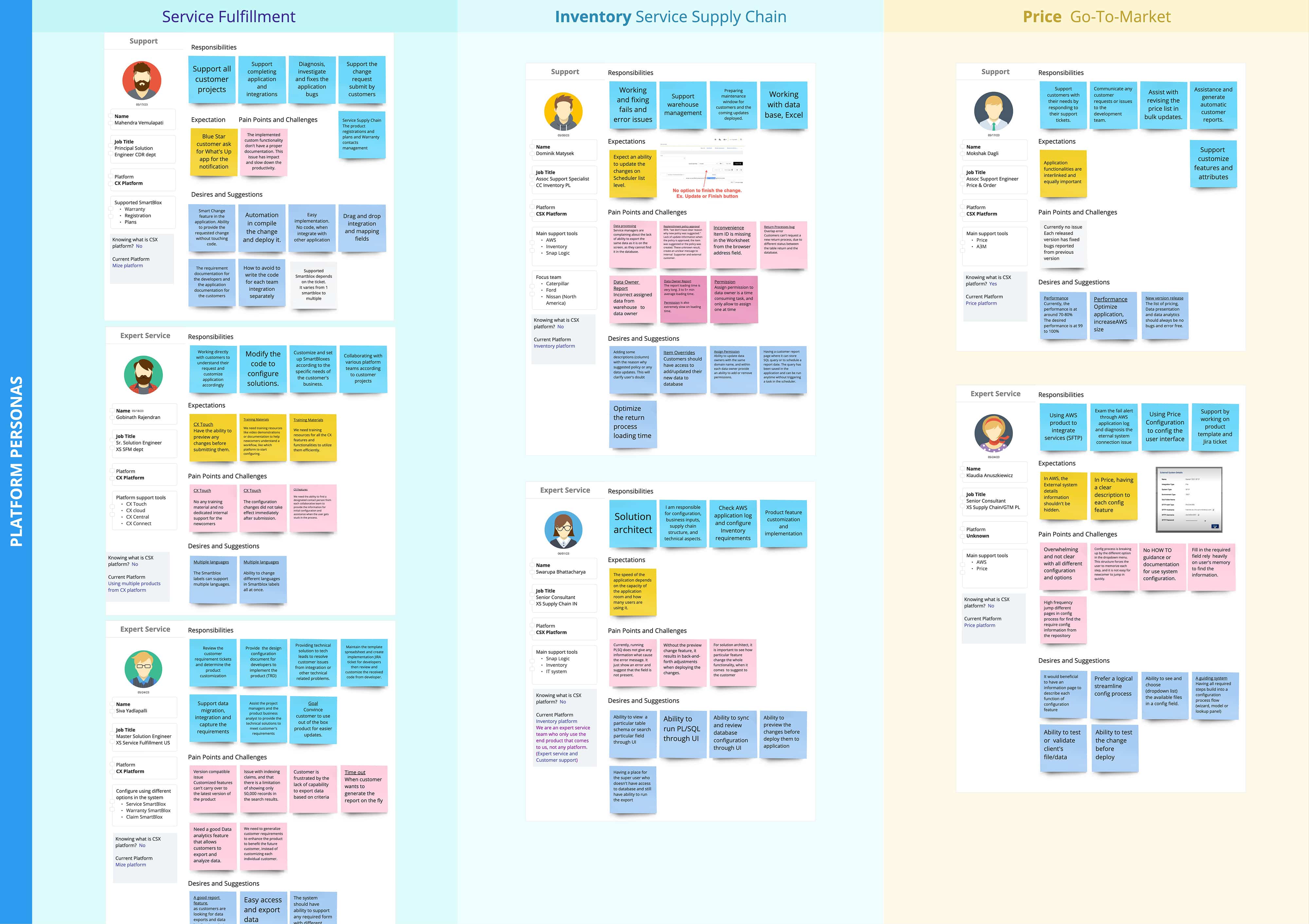
Drove user research and persona development
Defined platform navigation and interaction patterns
Designed key features aligned with product roadmap priorities
The CSX platform enables multiple products to work together within a single system
In the initial phase, I focused on:
Defined platform navigation and UX patterns
Standardized UI styles across onboarding products
Established a scalable, user-centered design foundation
The Problem
Disjointed UI, UX patterns, and navigation structures across products
Fragmented user experience and cognitive overload
Limited ability to scale and onboard new solutions efficiently
The Goal
Design and operationalize a flexible platform that:
Supports diverse products and plugins
Adapts to varying client needs
Maintains consistent, scalable UX standards across the ecosystem
The Process
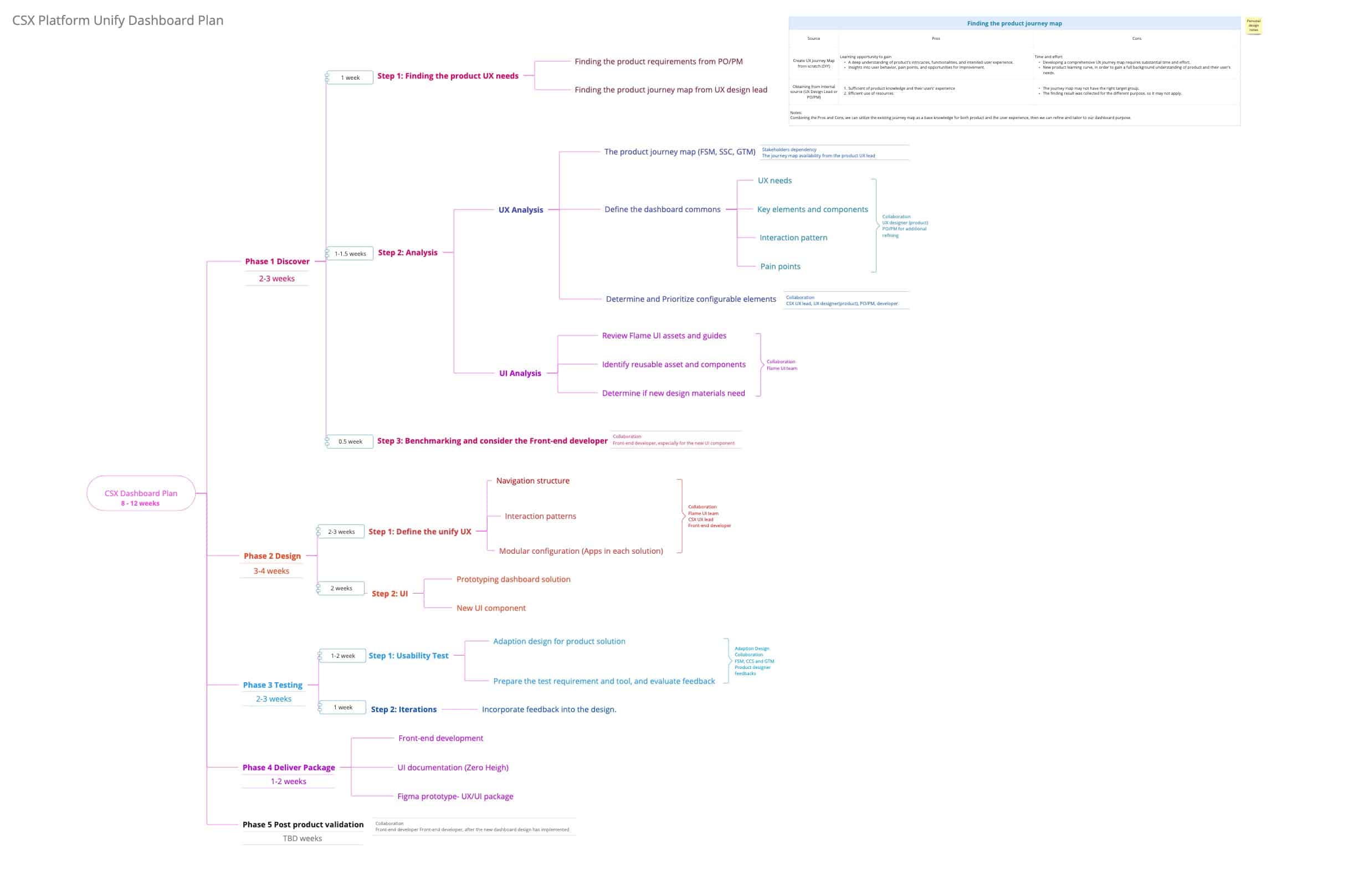
Discovery
Clarified business and product goals for a unified platform vision
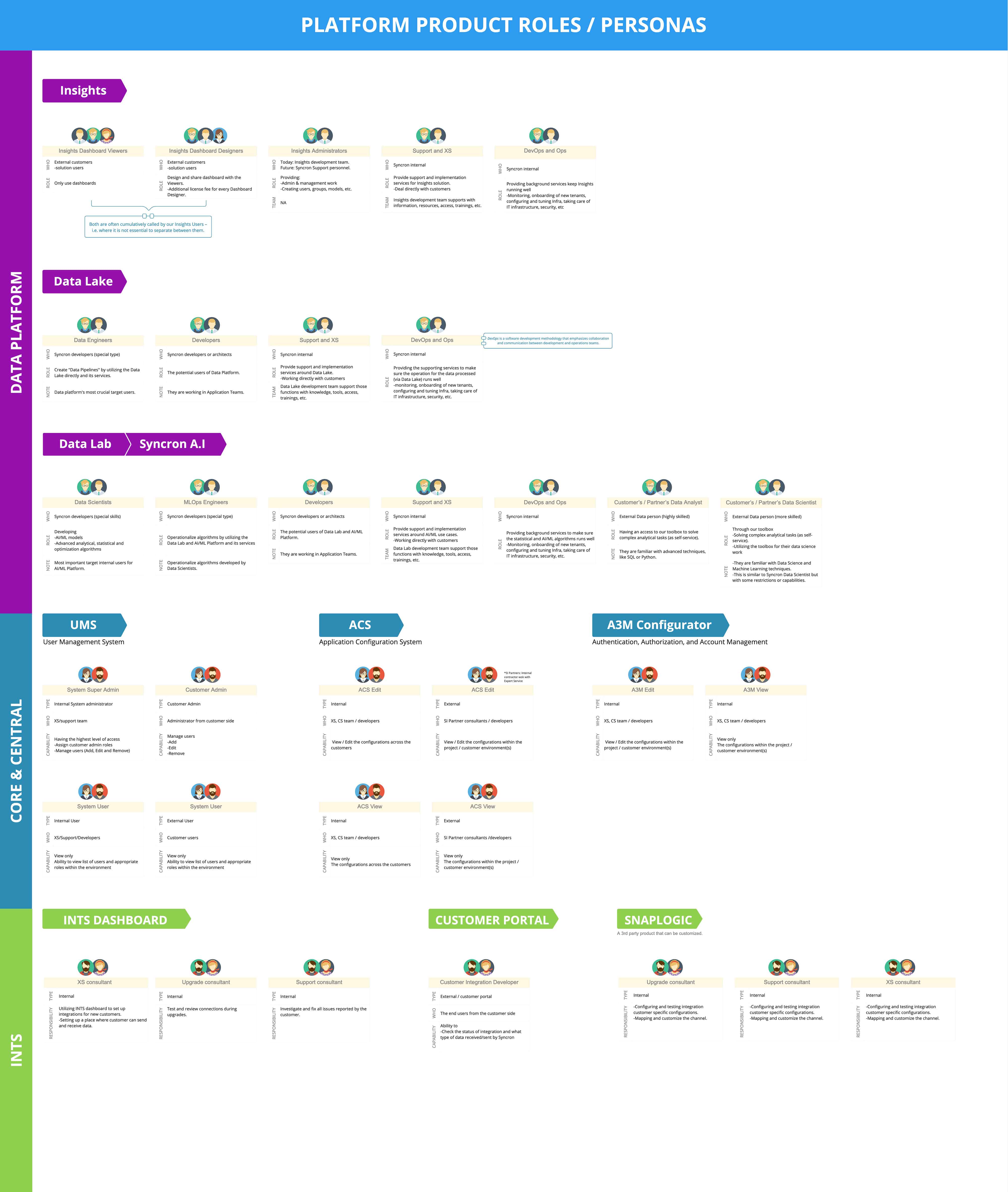
Identified and aligned platform users across product teams
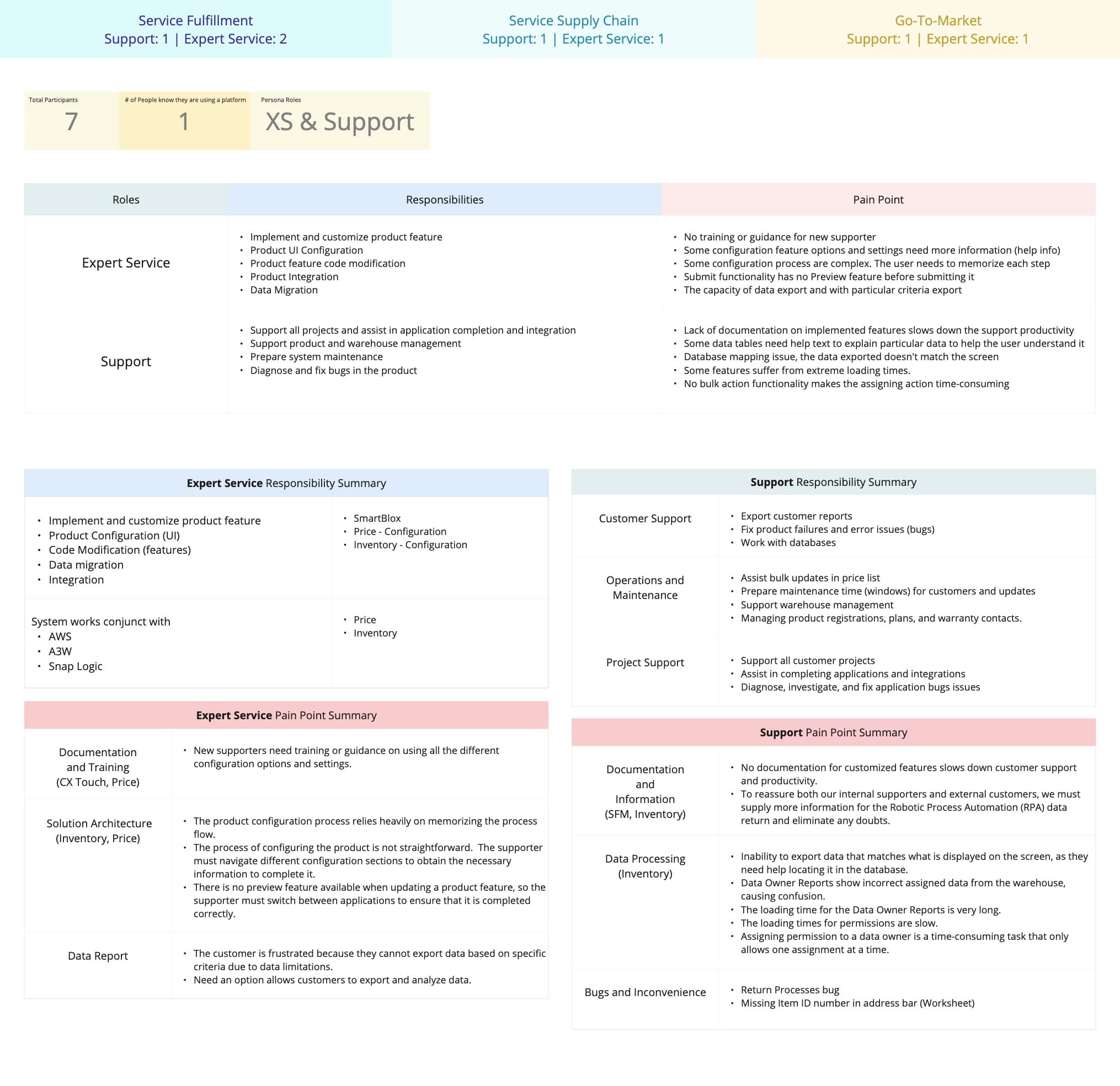
Conducted and synthesized user research to uncover behaviors, needs, and pain points
Benchmarked studied design systems
Identified platform users across product teams
Analyzed and distilled shared UX patterns
UX Strategy
Developed platform-level personas to guide system-wide decisions
Analyzed and distilled shared UX patterns across multiple products
Benchmarked complex design systems to inform scalable solutions
Developed platform-level personas
Analyzed and distilled shared UX patterns
Benchmarked studied design systems
System Alignment
Partnered with UI teams to align components and design standards
Audited and evolved the design system to support platform scalability
Key Design Decisions
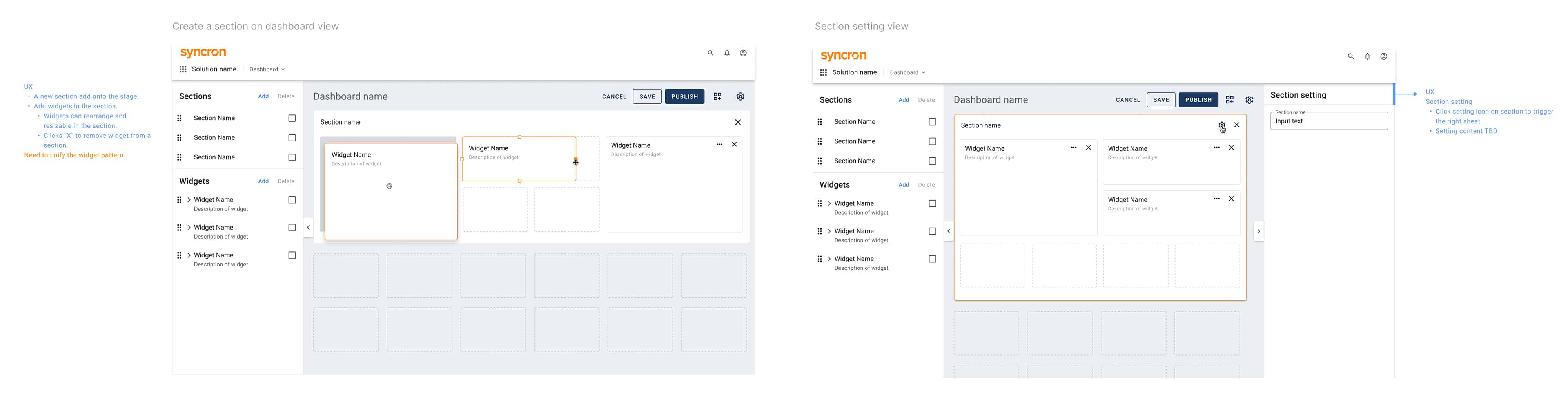
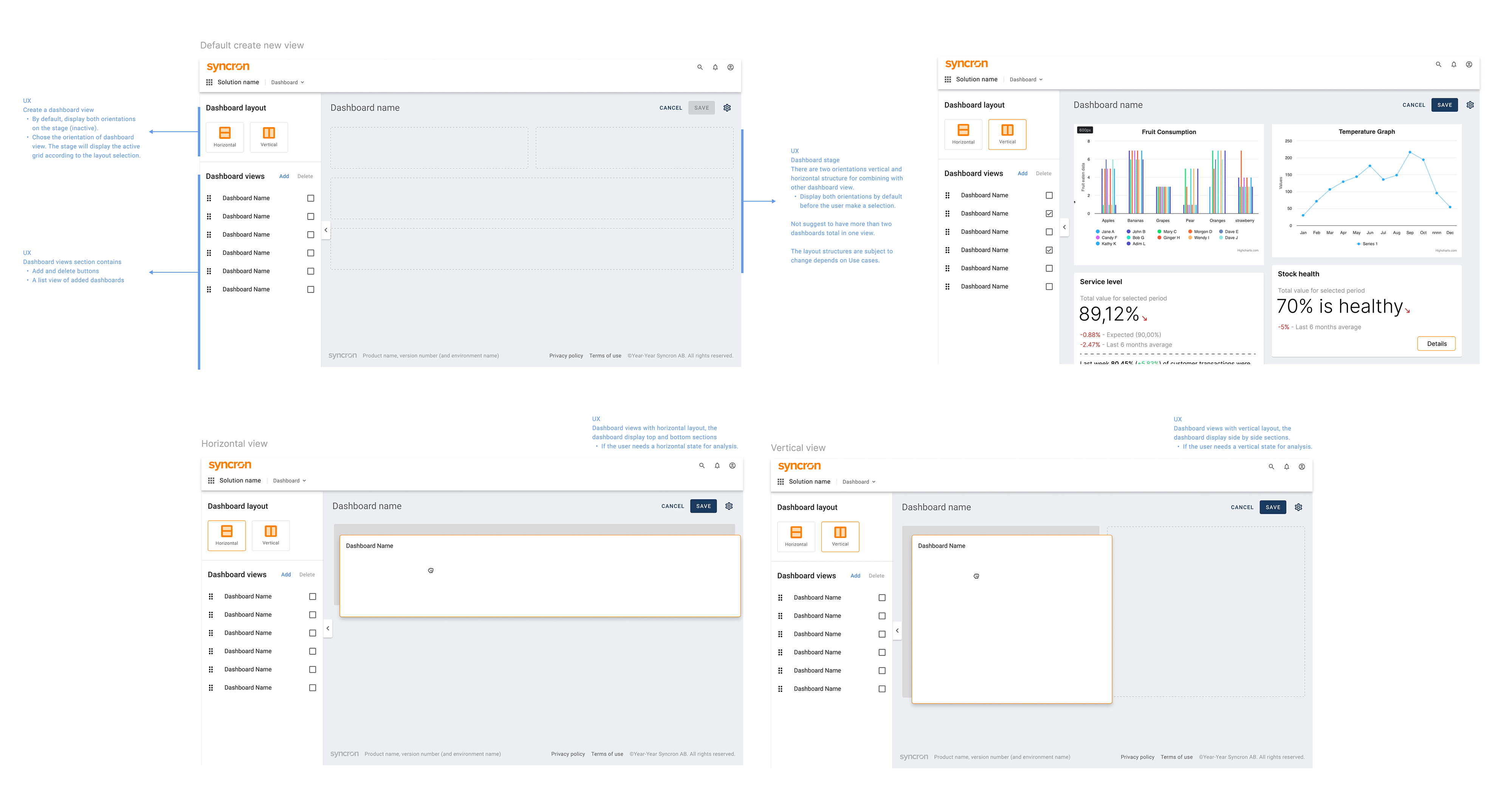
Modular Layout System
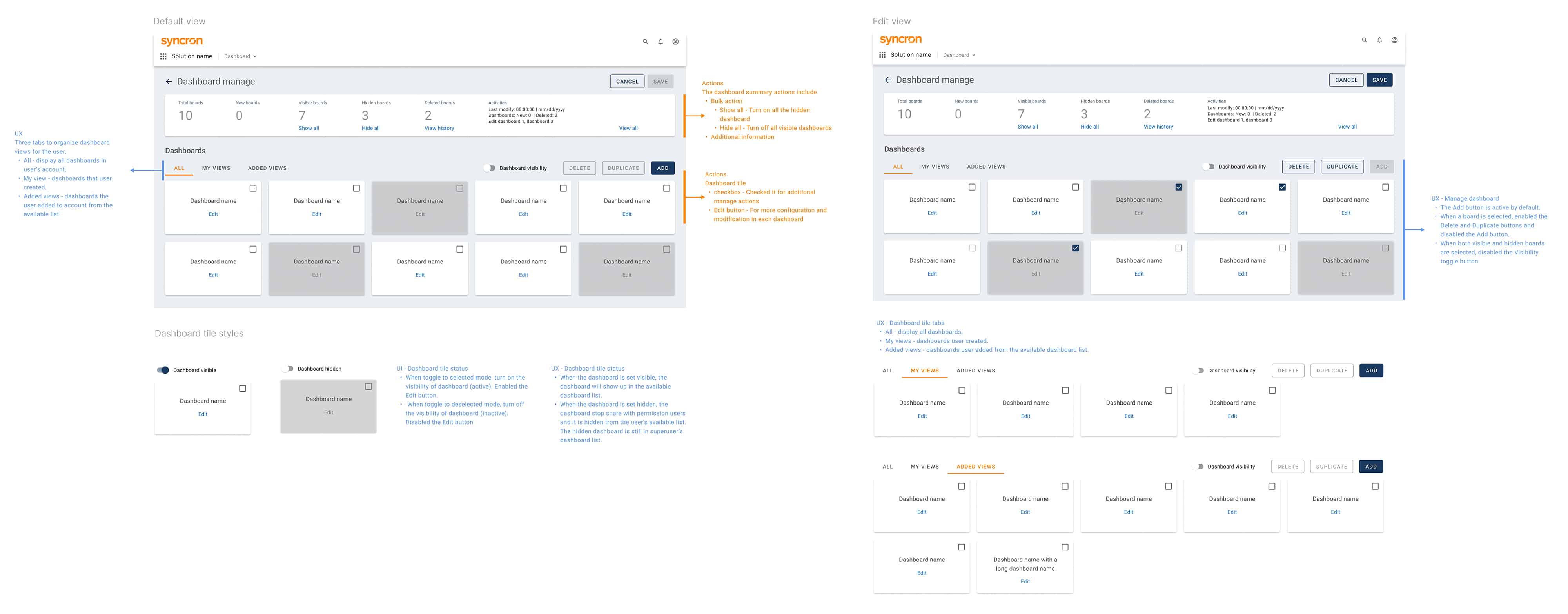
Enabled drag-and-drop sections, widgets and dashboards
Created a flexible, scalable layout structure
Impact:
Reduced confusion around dashboard structure
Increase efficiency on working multiple dashboards
Improved usability for first-time users
Created a flexible, scalable layout structure
Enabled drag-and-drop sections and widgets
Enabled drag-and-drop dashboards
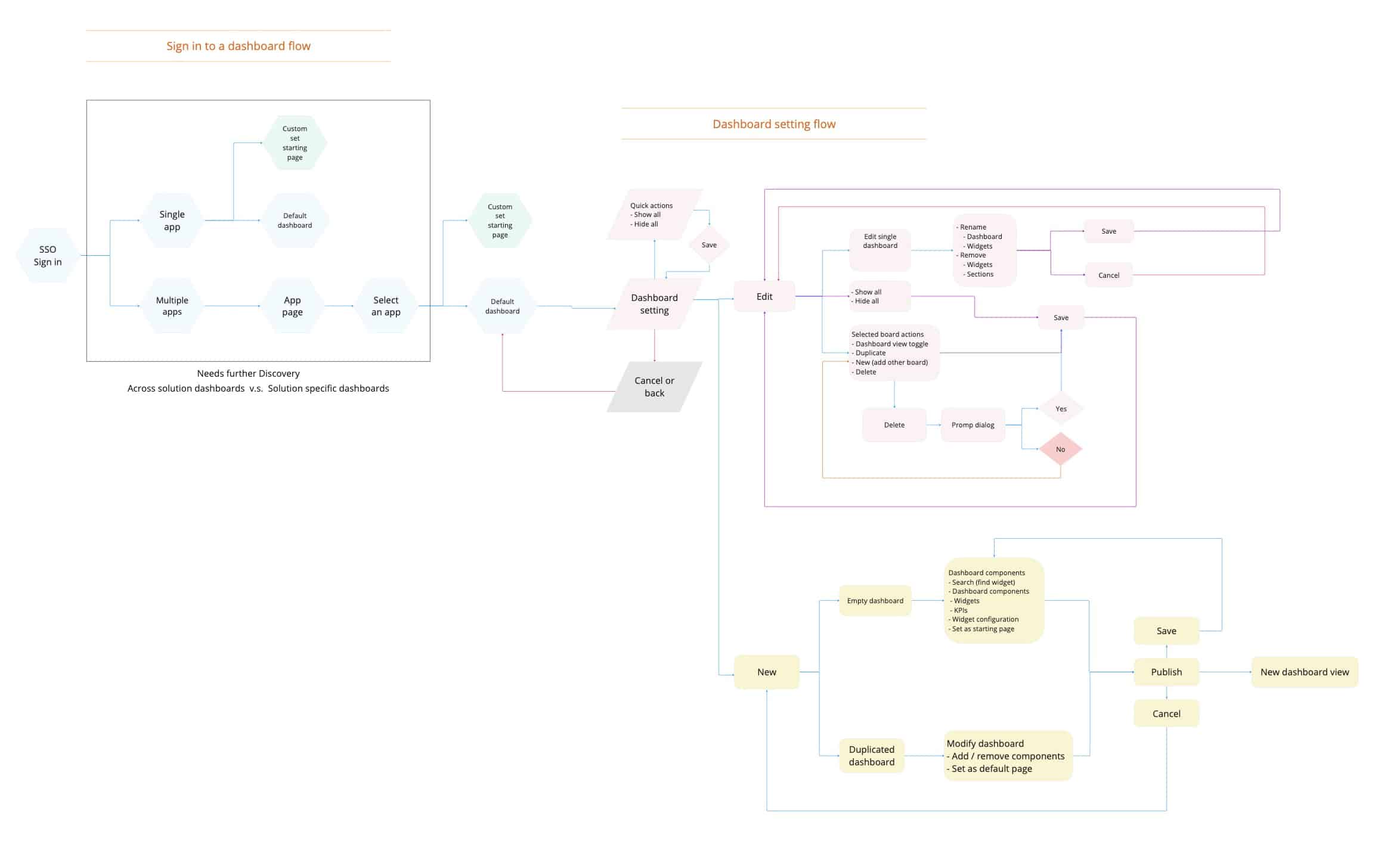
Action Hierarchy (Save / Finish / Cancel)
Clearly separated editing vs publishing states
Prevented accidental dashboard releases
Impact:
Increased user confidence
Reduced errors in workflow completion
Dashboard action hierarchy
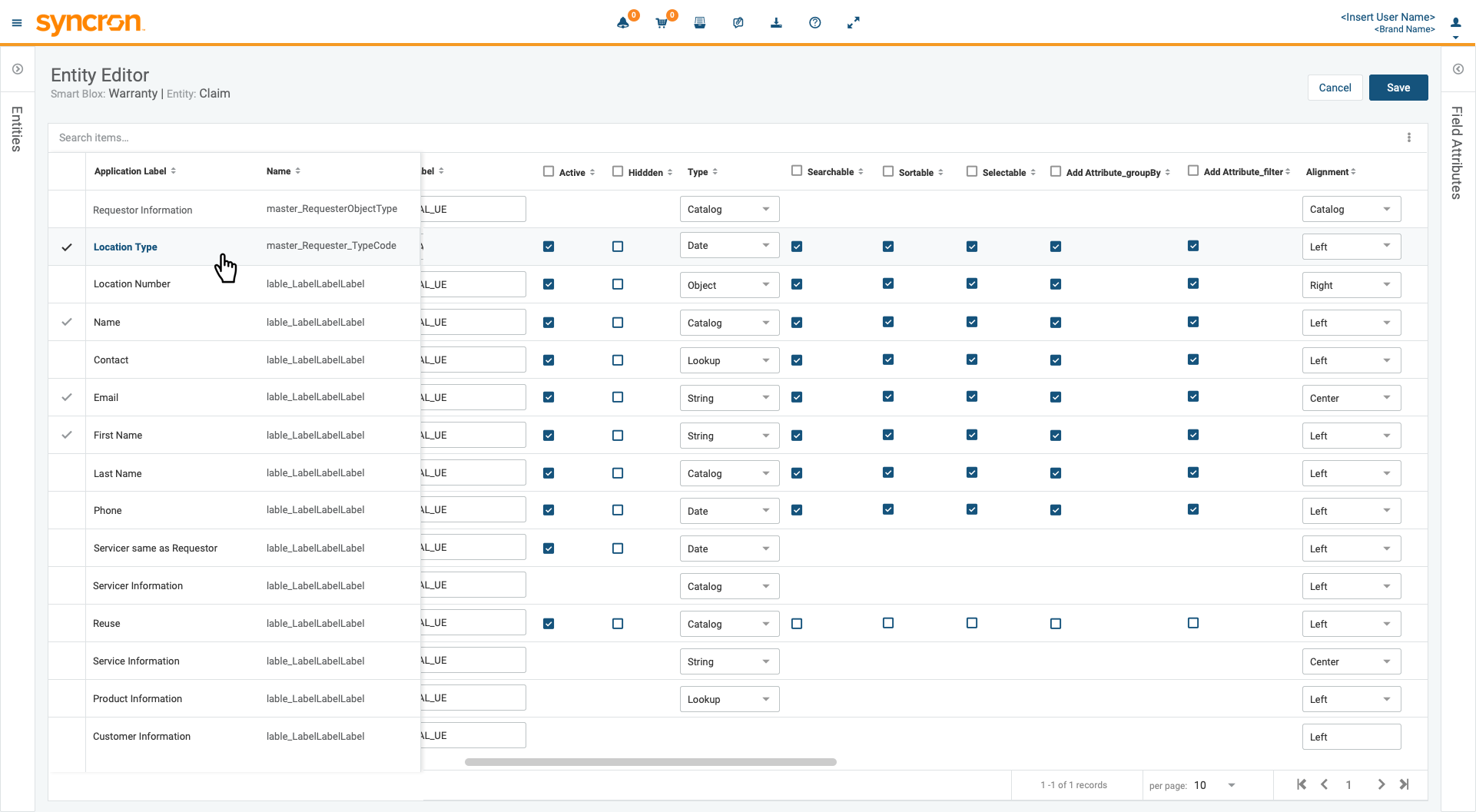
Bulk entities edit mode
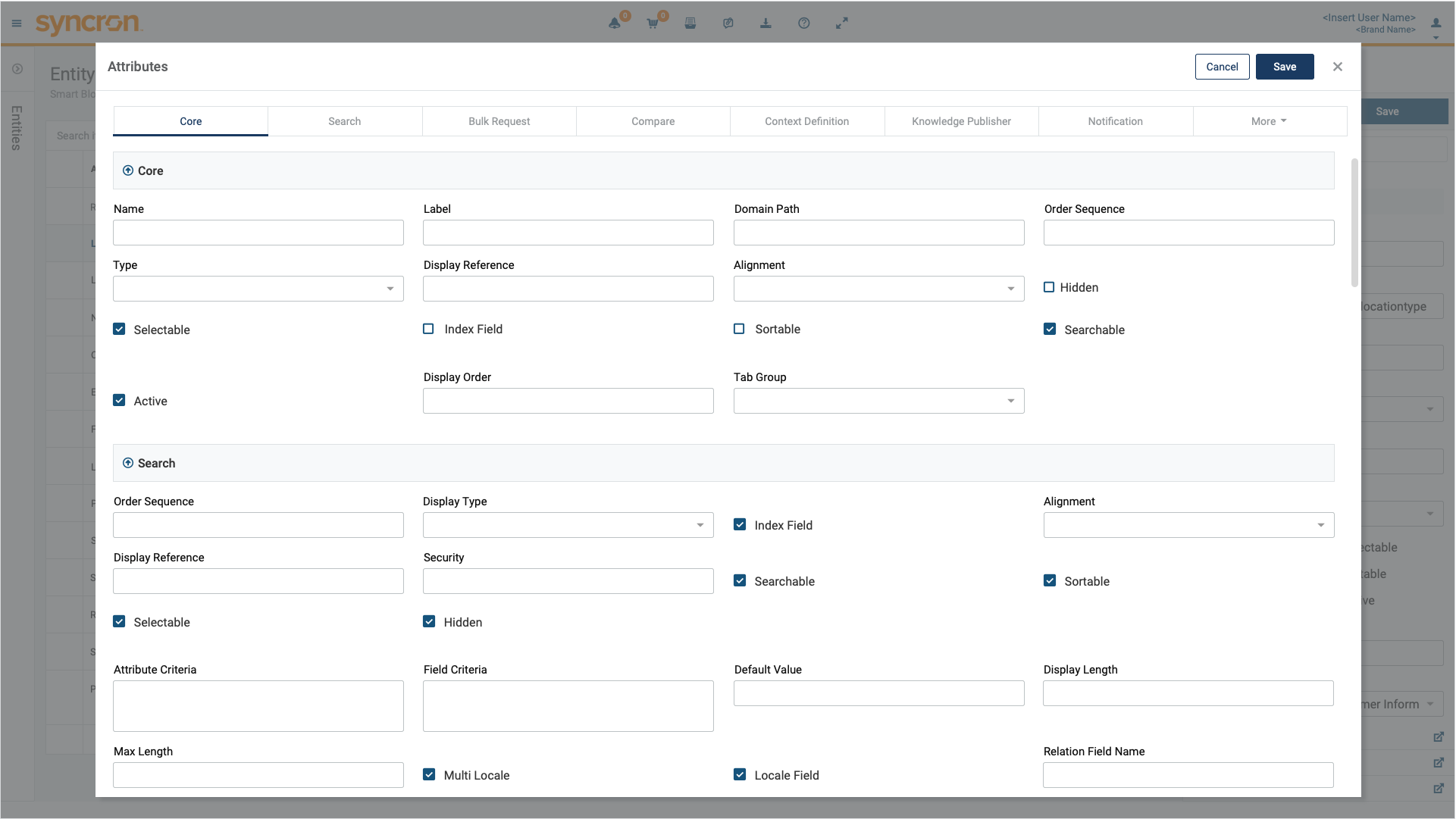
Add or edit entity attributes
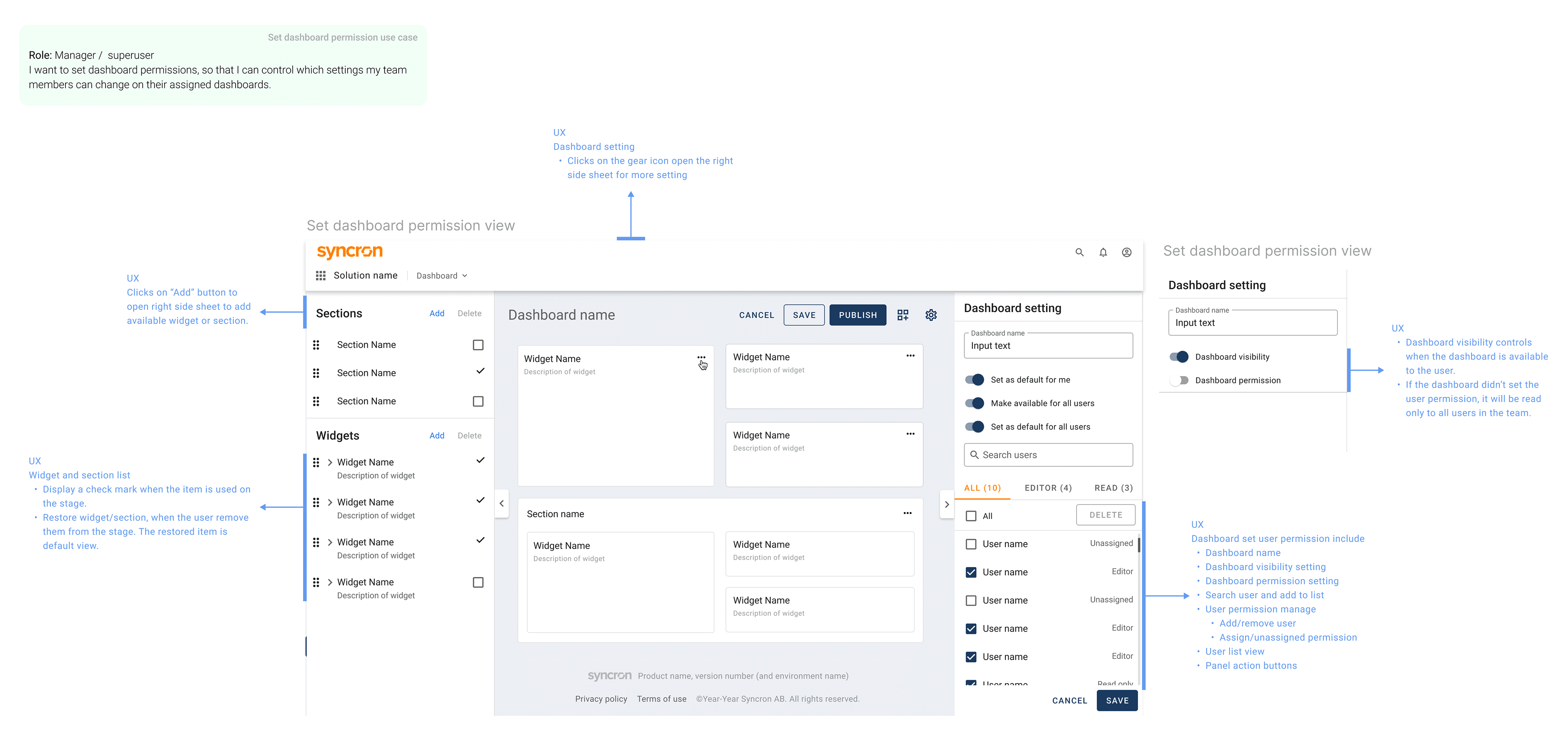
Inline Permission Management
Integrated permissions directly into the dashboard settings panel
Added search and filtering for user assignment
Impact:
Eliminated need to navigate away
Streamlined admin workflows
Dashboard setting for search user and userpermission
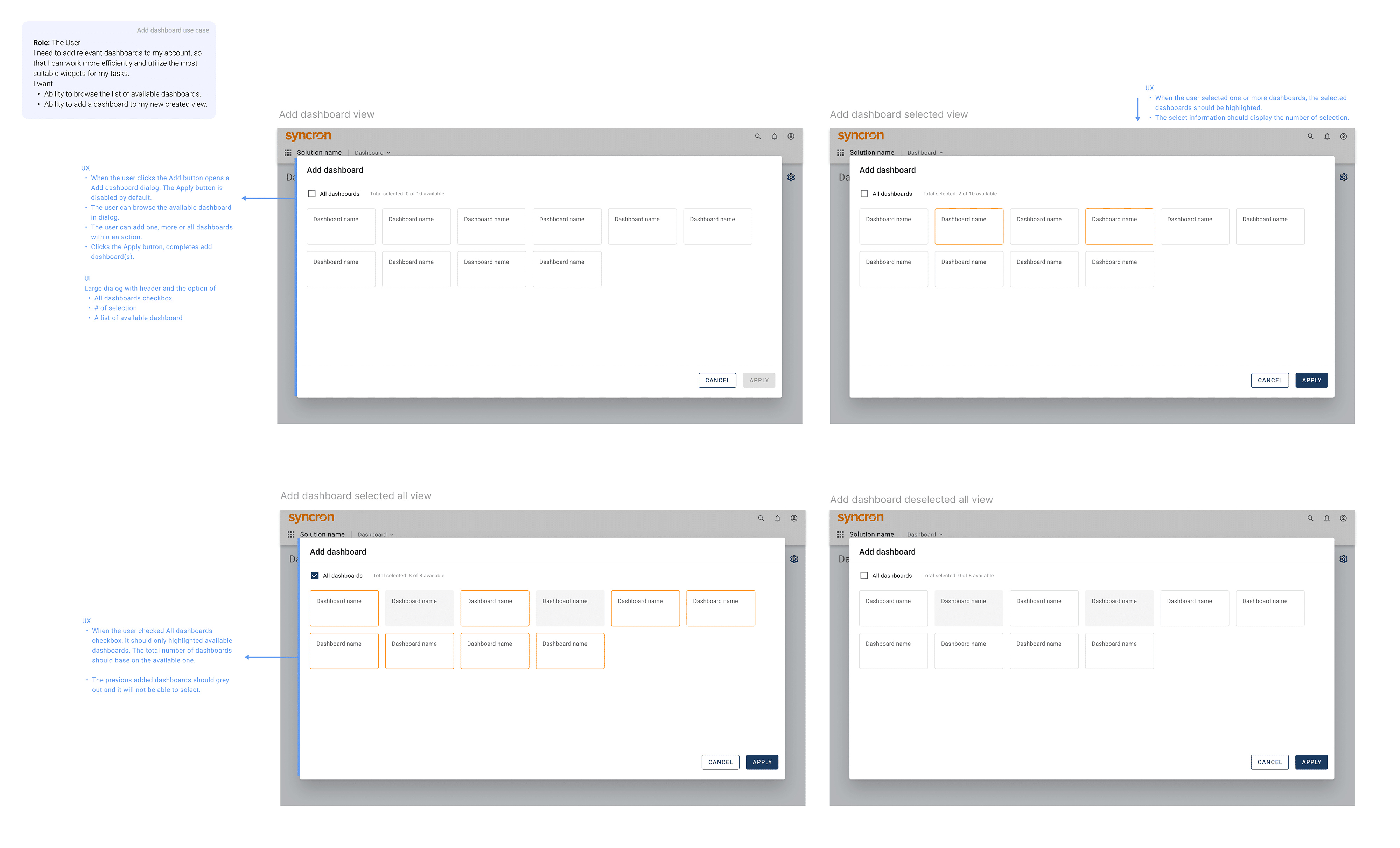
Progressive Disclosure
Only show controls when needed (e.g., selecting a widget opens settings)
Impact:
Reduced visual clutter
Made complex features feel manageable
Avoid overwhelming dashboard elements
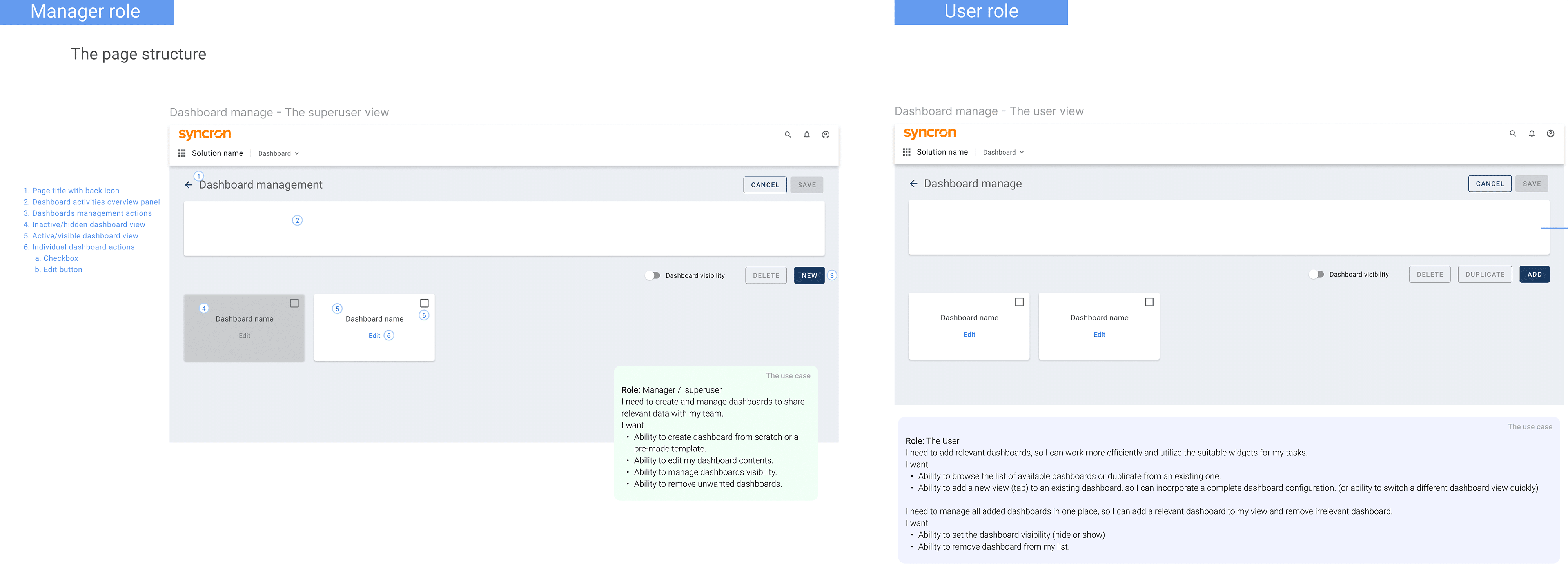
Adding only available dashboards
Impact
Qualitative Outcomes
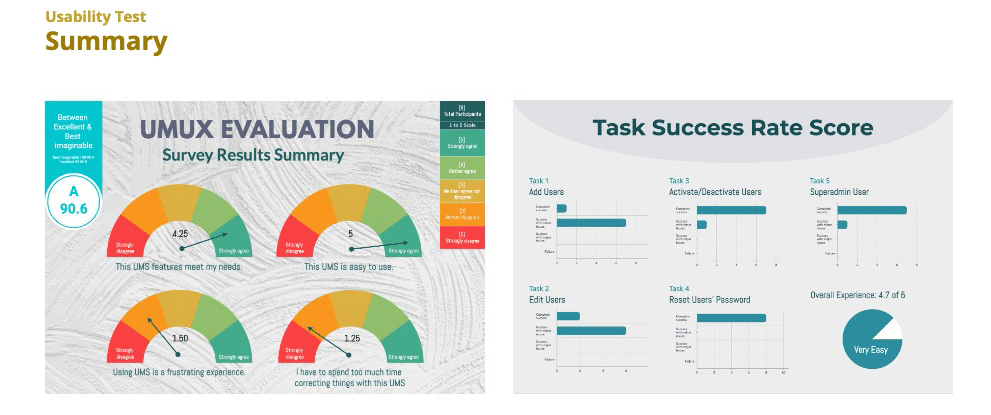
Observed and feedback from usability testing sessions
Reduced configuration time by ~30–40% (estimated through usability testing)
Decreased user errors in publishing workflows
Simplified permission management
Enabled scalable onboarding of future products
Strengthened cross-team alignment and design consistency
Transformed a fragmented product ecosystem into a scalable platform experience
User management system test result ( A feature from platform)
Key Takeaways
This project strengthened my ability to design at a system level, not just individual screens.
User research is essential to building meaningful, scalable solutions
Understanding user roles and workflows leads to better design decisions
Cross-team collaboration is critical for platform success
Most importantly, this experience reinforced my focus on user-centered design as the foundation for complex systems.